Video streaming has become an essential part of digital entertainment, online education, corporate communication, and media distribution. From subscription-based streaming platforms to live events and video-on-demand services, businesses need reliable infrastructure to deliver content without interruptions or inconsistent playback quality.
However, building a streaming platform involves more than simply storing video files and making them accessible online. The infrastructure must handle simultaneous viewers, high data transfer volumes, different playback resolutions, video encoding workloads, and growing storage requirements.
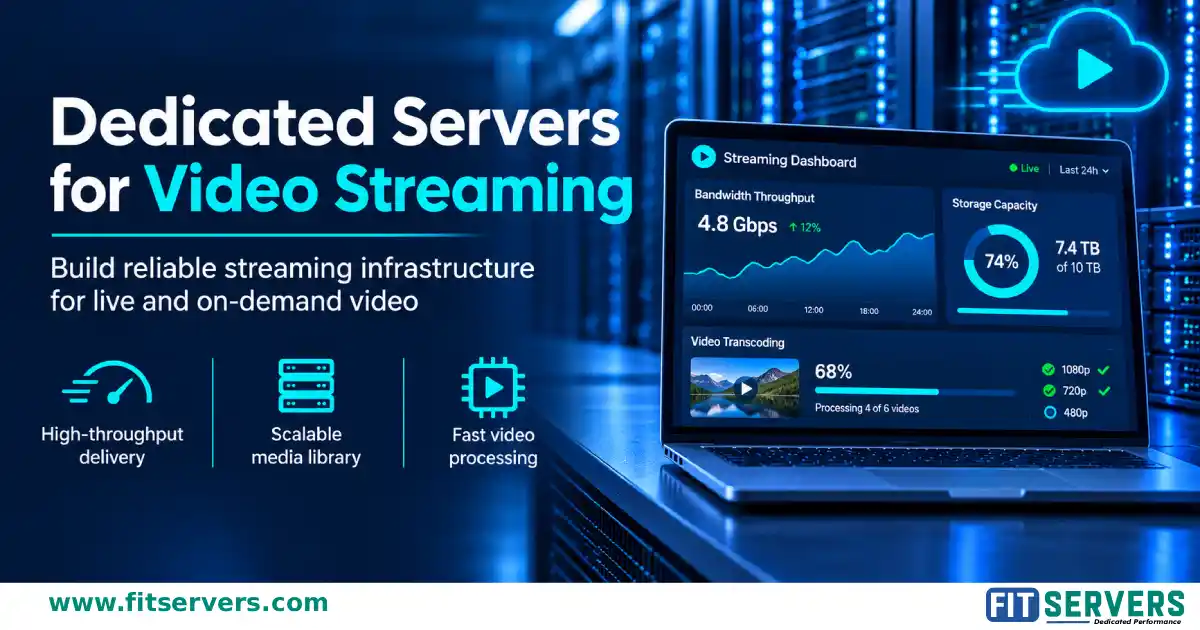
This is where dedicated servers for video streaming become a practical infrastructure option. With dedicated processing resources, configurable storage, and network capacity, businesses can build an environment suited to their streaming workloads.
Understanding bandwidth, storage, and transcoding requirements is essential before selecting a server. This guide explains how these components work together and what to consider when choosing dedicated server infrastructure for video streaming.
01 Why Video Streaming Requires Dedicated Server Resources
Video streaming workloads can place considerable demands on server infrastructure. Unlike ordinary websites, which primarily deliver text, images, and application data, streaming platforms continuously transfer large media files to viewers.
The resources required depend on several factors:
For example, a small educational platform delivering recorded lessons has different requirements from a live sports streaming service handling thousands of simultaneous connections.
Shared environments can introduce resource contention because multiple customers use the same underlying hardware resources. Dedicated servers provide allocated physical hardware, allowing businesses to configure processing power, memory, storage, and networking according to their workloads.
They are particularly useful when predictable resource availability, hardware-level configuration, and greater control over the streaming environment are important.
02 Understanding Bandwidth Requirements for Video Streaming
Bandwidth is one of the most important considerations when selecting streaming infrastructure. It determines how much data a server can transfer over a network connection during a given period.
Insufficient network capacity can create congestion when many viewers access video content simultaneously. This may result in buffering, reduced playback quality, or interrupted streams.
How to Calculate Streaming Bandwidth
The primary factors affecting bandwidth requirements are the video bitrate and the number of concurrent viewers. A basic calculation is:
Consider a platform delivering video at an average bitrate of 5 Mbps.
| Concurrent viewers | Required bandwidth |
|---|---|
| 100 | 500 Mbps |
| 500 | 2.5 Gbps |
| 1,000 | 5 Gbps |
| 2,000 | 10 Gbps |
These figures represent estimated application-level streaming traffic. Actual network capacity requirements should also account for protocol overhead, traffic variations, other services, and operational headroom.
A platform should not plan to operate continuously at the full theoretical capacity of its network connection.
Streaming Bandwidth Calculator
Enter your own numbers to estimate traffic and monthly data transfer.
Estimates use decimal units and exclude protocol overhead and headroom. Treat results as a planning starting point.
Choosing the Right Network Port
Dedicated servers are available with different network connection speeds. The appropriate connection depends on expected traffic rather than simply choosing the highest available speed.
May suit smaller streaming services with relatively limited concurrent traffic.
View 1Gbps servers →Can accommodate larger streaming workloads, depending on bitrate and concurrency.
View 10Gbps servers →Provides additional network capacity for platforms experiencing substantial traffic.
Browse all servers →Can support demanding high-throughput infrastructure when the application, storage, and network path can use that capacity.
View 100Gbps servers →Remember that a 10Gbps network port does not guarantee 10Gbps of sustained internet throughput. Actual performance depends on network routing, provider capacity, traffic policies, and the destination networks.
Understanding Monthly Bandwidth Consumption
Network speed and monthly data transfer are different measurements. For example, a continuous stream operating at 5 Mbps transfers approximately 2.25 GB per hour using decimal units. For 1,000 viewers watching for one hour at that bitrate:
This illustrates why video platforms should evaluate both network port speed and monthly data transfer requirements when comparing dedicated server plans.
03 Storage Requirements for Video Streaming Servers
Storage capacity is another major consideration, particularly for video-on-demand platforms that maintain extensive content libraries.
Video files are considerably larger than typical website assets. A platform offering thousands of videos must account for original recordings, transcoded versions, thumbnails, subtitles, and additional media files.
How Much Storage Does Video Streaming Need?
Storage requirements depend on video bitrate, duration, resolution, codec, and compression settings. A useful estimation formula is:
For example, a one-hour video encoded at 5 Mbps requires approximately:
A library containing 1,000 videos of this duration would require approximately 2.25 TB for one encoded version of each video.
However, adaptive streaming platforms frequently maintain multiple quality versions of the same content. Consequently, the actual storage requirement can be considerably higher. Businesses should also reserve capacity for new uploads, temporary processing files, metadata, backups, and future growth.
HDD vs SSD vs NVMe Storage
Different storage technologies serve different purposes in video streaming infrastructure.
HDD Storage
Hard disk drives offer relatively economical capacity for storing large media libraries. They can be suitable for archival content and workloads where storage capacity is more important than low access latency.
Browse storage-ready servers →SSD Storage
Solid-state drives provide faster access than traditional HDDs. They are useful for frequently accessed content, application data, databases, and workloads involving multiple concurrent storage operations.
Explore SSD dedicated servers →NVMe Storage
NVMe drives offer high-performance storage through PCIe connectivity. They are particularly useful for demanding workloads involving frequent reads and writes, media processing, temporary files, and high-throughput applications.
Explore NVMe dedicated servers →The best configuration depends on how content is accessed and processed. A platform may use large-capacity HDDs for its media library and SSD or NVMe storage for operating systems, databases, and frequently accessed content.
Storage Redundancy and Data Protection
Storage capacity alone does not determine reliability. Businesses should also consider how their data is protected. RAID configurations can provide redundancy or improve storage performance, depending on the selected RAID level. However, RAID is not a replacement for backups. A suitable data protection strategy should include:
- Regular backups of important media and application data.
- Separate backup storage.
- Monitoring of drive health.
- Recovery procedures tested periodically.
- Appropriate redundancy for critical storage workloads.
These measures help reduce the impact of hardware failures and accidental data loss.
04 Video Transcoding: CPU and GPU Requirements
Transcoding is the process of converting video content from one format, codec, resolution, or bitrate into another. It is an important part of modern streaming infrastructure because viewers use different devices, internet connections, and display resolutions.
For example, a platform may receive a high-quality original recording and generate several playback versions:
This approach is commonly used in adaptive bitrate streaming, where compatible players can switch between available quality levels according to network conditions.
CPU-Based Transcoding
Central processing units handle general-purpose computing tasks and can perform software-based video encoding. Modern multi-core processors suit multiple simultaneous encoding jobs, media management, and other server-side processing.
- Encoding workloads are moderate.
- The platform uses software-based encoding tools.
- Flexible codec and configuration support is important.
- Several concurrent processing tasks must be managed.
Performance varies with processor architecture, core count, clock speed, encoder settings, codec, and source resolution. A higher core count alone does not guarantee proportionally faster encoding.
Browse CPU dedicated servers →GPU-Based Transcoding
Graphics processing units can accelerate supported video encoding and decoding through dedicated media hardware. Technologies such as NVIDIA NVENC and NVDEC provide hardware-assisted encoding and decoding on supported GPUs.
- Hardware-assisted video encoding.
- Reduced reliance on CPU resources for supported operations.
- Improved throughput for suitable workloads.
- Better separation between media processing and application tasks.
GPU acceleration is not automatically faster for every workload. Supported codecs, resolution, GPU model, encoding settings, software compatibility, and simultaneous sessions all influence performance.
Explore GPU servers →Businesses should benchmark their actual video processing pipeline before selecting GPU infrastructure.
05 Choosing Between Live Streaming and Video-on-Demand Infrastructure
Live streaming and video-on-demand services have different infrastructure requirements. Understanding this distinction helps businesses select appropriate server configurations.
Live Video Streaming
Delivering video while it is being captured or broadcast. The infrastructure may need to handle:
- Incoming live video feeds.
- Real-time or near-real-time transcoding.
- Multiple output resolutions.
- Continuous network traffic.
- Stream monitoring and failure recovery.
Latency is especially important for interactive events, online classes, live auctions, and real-time broadcasts. Protocols such as RTMP are commonly used for contribution workflows, while HLS and MPEG-DASH are widely used for playback distribution.
Video-on-Demand (VOD)
Delivering previously recorded content whenever viewers request it. Unlike live streaming, video files can generally be transcoded and prepared before publication.
This allows businesses to schedule processing workloads and generate multiple playback versions in advance. Storage capacity, media retrieval performance, content organization, and outgoing bandwidth are therefore important considerations.
A dedicated server can support the application, media processing, and storage components of a VOD platform, depending on its configuration.
The complete streaming architecture should be designed around the required latency, compatibility, and distribution model.
06 Network Architecture and Content Delivery
Selecting a high-speed network connection is only one part of building a reliable streaming environment. The complete network architecture determines how efficiently content reaches viewers. Geographic distance, routing quality, network congestion, and upstream connectivity can all affect playback performance.
For platforms serving international audiences, deploying infrastructure closer to major viewer populations can help reduce network latency. A distributed content delivery network (CDN) can also cache eligible media content at geographically distributed locations, reducing repeated requests to the origin server.
In this architecture, a dedicated server can function as the origin infrastructure, storing original media files and supplying content to distribution endpoints. Businesses should evaluate:
- Network connectivity and available capacity.
- Geographic proximity to target audiences.
- Routing quality and upstream providers.
- Traffic limits and bandwidth policies.
- DDoS protection options.
- Redundancy and failover arrangements.
A strong infrastructure design considers the entire delivery path rather than relying solely on the advertised network port speed.
07 Recommended Dedicated Server Specifications for Different Streaming Workloads
There is no universal server configuration suitable for every video streaming platform. Requirements depend on the number of viewers, media processing workload, storage capacity, and application architecture. The following configurations are starting points for planning, not guaranteed capacity recommendations.
| Streaming workload | Suggested starting configuration |
|---|---|
| Small VOD platform | 8–16 CPU cores, 32–64GB RAM, SSD/NVMe storage, 1Gbps–10Gbps network |
| Growing streaming platform | 16–32 CPU cores, 64–128GB RAM, mixed SSD/HDD storage, 10Gbps network |
| High-volume media delivery | 32+ CPU cores, 128GB+ RAM, high-capacity storage, 10Gbps–100Gbps network |
| GPU-accelerated transcoding | Compatible multi-core CPU, 64GB+ RAM, supported GPU, fast storage, suitable network |
These are illustrative starting points. Actual requirements should be established through workload testing. For example, a platform that performs all transcoding before publication may need less GPU capacity than a service converting multiple live streams simultaneously.
Similarly, a large media library does not necessarily require expensive NVMe storage for every file. Storage tiers can be selected according to access patterns.
08 Monitoring and Scaling Streaming Infrastructure
Streaming requirements rarely remain constant. Audience growth, new content formats, seasonal demand, and major live events can increase infrastructure utilization. Continuous monitoring helps identify performance limitations before they affect viewers.
Network utilization
Monitor incoming and outgoing traffic to identify capacity constraints.
CPU utilization
Track processor usage during media processing and application workloads.
GPU utilization
Monitor supported GPU workloads, memory usage, and encoding activity.
Storage performance
Observe available capacity, disk latency, read/write throughput, and drive health.
Application performance
Track connection failures, playback errors, request latency, and stream availability.
When infrastructure approaches its capacity, businesses can scale by upgrading hardware, adding dedicated servers, distributing workloads, or improving content delivery architecture. Separating transcoding, storage, and application workloads across multiple servers can also make resource allocation easier as the platform grows.
09 What to Consider Before Renting a Dedicated Streaming Server
Before selecting a dedicated server, evaluate your actual workload rather than choosing hardware based only on advertised specifications. Consider the following factors:
Confirm the available port speed, bandwidth allocation, and traffic policies.
Choose a CPU suited to your application and encoding requirements.
Ensure sufficient RAM for operating systems, applications, databases, and concurrent processing.
Balance capacity, performance, redundancy, and backup requirements.
Check hardware encoding support if GPU-accelerated transcoding is necessary.
Select a suitable location based on your primary audience.
Evaluate DDoS protection, access controls, firewall configuration, and system updates.
Confirm that additional resources or servers can be deployed as demand increases.
It is also important to understand what is included in the server service, including hardware support, network policies, and available management options.
✓ Conclusion
Building a reliable video streaming platform requires careful planning across bandwidth, storage, processing power, and network architecture.
Bandwidth determines how much video data can be delivered to concurrent viewers, storage determines how efficiently a media library can be maintained, and transcoding resources determine how content is prepared for different devices and network conditions.
Dedicated servers provide businesses with control over physical hardware resources and the flexibility to configure infrastructure around specific streaming workloads. Whether you operate a small video-on-demand platform, an online education service, or a high-volume media distribution platform, selecting the right combination of CPU, GPU, RAM, storage, and network capacity is essential.
Explore dedicated server configurations with the processing power, storage capacity, and network connectivity required to support your video streaming infrastructure. Choose a configuration based on your current workload, test its performance, and plan for future audience growth.
FAQ Frequently Asked Questions
How much bandwidth do I need for video streaming?
How much storage does a video streaming library need?
Is GPU transcoding better than CPU transcoding?
Does a 10Gbps port guarantee 10Gbps of streaming throughput?
What is the difference between live streaming and video-on-demand infrastructure?
Do I still need a CDN if I use a dedicated streaming server?
Ready to Build Your Streaming Platform?
Explore Fit Servers dedicated server configurations with the processing power, storage capacity, and network connectivity your video streaming workloads need.