Imagine it is 2:00 AM. Your primary dedicated server, located in a data center 500 miles away, suddenly stops responding. The operating system is completely locked up, and SSH access is dead.
Before modern remote management, fixing this meant waking up a data center technician and waiting for them to physically walk to the server rack. Today, you can resolve the issue in minutes from your laptop.
The technology that makes this possible is IPMI (Intelligent Platform Management Interface).
For businesses running critical databases, virtualization platforms, or AI workloads, IPMI is not just a convenience—it is a necessity. It gives administrators a reliable way to access hardware when the operating system fails, the server won't boot, or remote troubleshooting is required.
Here is everything you need to know about how IPMI works, why it matters, and how to use it securely.
1. What Is IPMI?
IPMI is a standardized hardware management interface. It allows system administrators to monitor and control a server's physical hardware completely independently of the server's primary operating system.
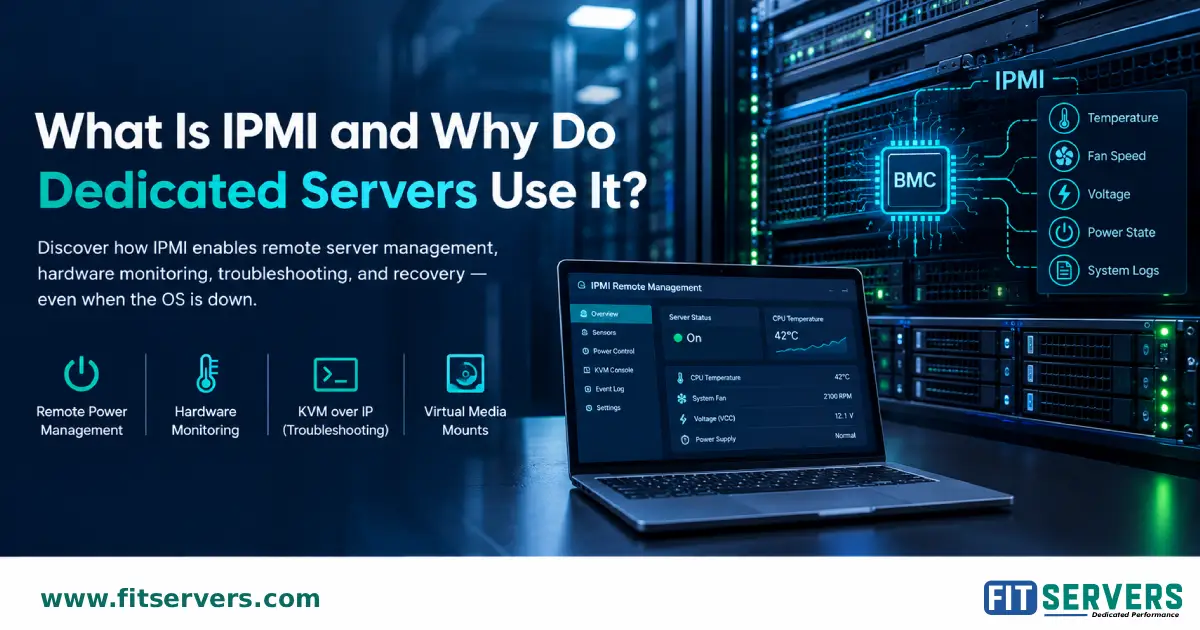
This is made possible by the Baseboard Management Controller (BMC). The BMC is a specialized, dedicated microchip embedded directly on the server's motherboard. Because the BMC runs on its own standby power and has its own network connection, it stays online even if your main operating system crashes or the server is powered off.
| Feature | Description |
|---|---|
| Full Name | Intelligent Platform Management Interface |
| Primary Purpose | Out-of-band (OOB) remote hardware management |
| Powered By | Baseboard Management Controller (BMC) chip |
| OS Dependency | Zero. Runs independently of Linux/Windows |
| Core Capabilities | Power cycling, hardware monitoring, system event logs |
2. How Does IPMI Work on a Dedicated Server?
A dedicated server relies on two distinct management paths:
In-band management: Managing the server through the operating system (like using SSH for Linux or Remote Desktop for Windows).
Out-of-band management: Managing the hardware directly through the BMC using IPMI, completely bypassing the OS.
The IPMI Management Workflow:
- Continuous Monitoring: The BMC constantly reads hardware sensors (temperatures, fan speeds, power voltages) across the motherboard.
- Remote Connection: You log into the IPMI interface via a dedicated, secure management network.
- Status Check: You instantly see the server's power state, sensor readings, and underlying system event logs.
- Hardware Action: You issue a command—like forcing a hard reboot or launching a remote console—and the BMC executes it at the hardware level.
- Resolution: You watch the server boot up in real-time, diagnose the OS issue, and get the system back online.
3. Why Do Dedicated Servers Use IPMI?
When you lease a bare-metal dedicated server, you don't have physical access to the machine. IPMI bridges that gap by providing virtual physical access.
Remote Power Management
If a server experiences a kernel panic, a standard software reboot won't work. IPMI allows you to issue hardware-level commands to power on, power off, or force a hard reset. It is exactly like pressing the physical power button on the front of the server chassis.
Hardware Health Monitoring
Through IPMI, you can monitor the physical health of your server in real time. Detecting a failing cooling fan, a voltage drop in the power supply, or a spiking CPU temperature early allows you to schedule maintenance before catastrophic hardware failure occurs.
Troubleshooting Boot Issues (KVM over IP)
If a server fails to boot, conventional SSH access is useless. Many IPMI implementations include KVM over IP (Keyboard, Video, Mouse), which streams the pre-OS video output to your browser. You can access the BIOS/UEFI, watch the POST process, and figure out why the OS isn't loading.
Virtual Media Mounts
Need to install a new OS from scratch? IPMI's Virtual Media feature lets you mount a local ISO file across the network. The remote server treats this file exactly as if you had plugged a physical USB drive into the machine.
4. IPMI vs. SSH: What Is the Difference?
While both are remote management tools, they serve entirely different purposes. They complement each other; one does not replace the other.
| Capability | IPMI (Hardware Level) | SSH (OS Level) |
|---|---|---|
| Primary Purpose | Hardware management & recovery | Operating system administration |
| Requires OS to be running? | No | Yes |
| Check hardware sensors? | Yes, direct from motherboard | Yes, but relies on OS drivers |
| Hard reset frozen server? | Yes | No |
| Access Linux command line? | No | Yes |
| Install software packages? | No | Yes |
| Fix broken boot sequence? | Yes (via Console) | No |
5. IPMI Security: Best Practices
Because IPMI provides absolute control over the physical server, securing it is critical. An exposed BMC is a massive security risk. Treat IPMI as a highly restricted administrative boundary.
Never Expose to Public Internet
IPMI should only be accessible via an isolated, private management VLAN or a secure corporate VPN.
Kill Default Credentials
Immediately change default usernames (like admin/admin) and enforce strong, unique passwords.
Keep Firmware Updated
Apply BMC firmware updates regularly to patch known vulnerabilities and ensure security.
Limit Permissions
Only grant IPMI access to administrators who explicitly need hardware-level control.
6. IPMI vs. Redfish: The State of Server Management
While IPMI is universally supported and incredibly reliable, the specification hasn't seen a major update in years. Today, the industry standard for automated, large-scale server management is Redfish.
Developed by the DMTF, Redfish is a modern RESTful API that uses HTTPS and JSON. It doesn't replace the BMC; it just provides a more secure, easily scriptable way to communicate with it. In 2026, IT teams use Redfish for large-scale infrastructure automation and CI/CD pipelines, while keeping IPMI as a lightweight, bulletproof backup for emergency CLI interventions.
7. Does Fit Servers Provide IPMI Access?
Yes. At Fit Servers, we understand that total control over your hardware is non-negotiable.
We provide IPMI access to customers upon request, subject to your specific server hardware and data center configuration. This ensures you always have a backdoor to troubleshoot, reboot, and manage your infrastructure when standard OS access fails.