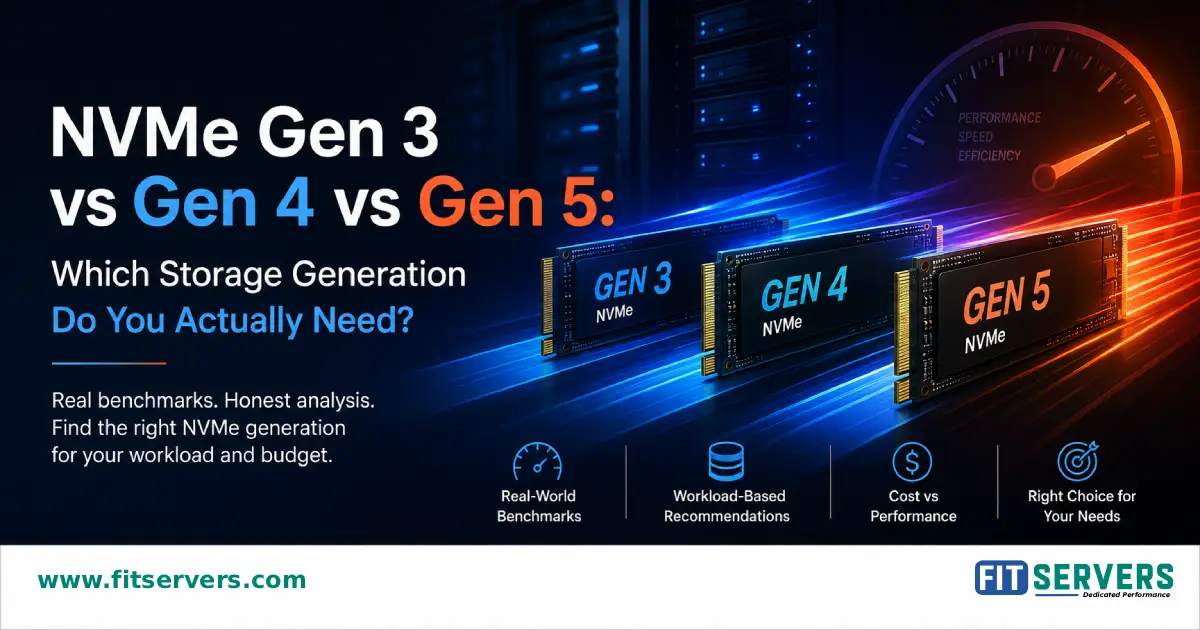
You're comparing dedicated servers, and the salesperson just dropped this on you: "Our Gen 5 NVMe servers are the fastest on the market." Great. But here's the question nobody's answering: Do you actually need it?
This guide cuts through the marketing noise to show you exactly which NVMe generation makes sense for your workload—without the upsell pressure. Because the truth is: most of you don't need what you think you do.
01 The Specs Explained: What Actually Matters
Before we jump into recommendations, let's clear up what these generations actually mean.
| Specification | Gen 3 | Gen 4 | Gen 5 |
|---|---|---|---|
| PCIe Standard | 3.0 | 4.0 | 5.0 |
| Max Bandwidth | 3.9 GB/s | 7.8 GB/s | 15.6 GB/s |
| Typical IOPS | ~500K | ~1M+ | ~2M+ |
| Latency (typical) | 10-50µs | 10-50µs | 8-40µs |
| Price Premium | Baseline | +50-80% | +100-150% |
Here's what nobody tells you: Those bandwidth numbers are theoretical maximums. Real workloads rarely come close. The latency? All three generations hover in the same range—that's not your bottleneck.
What actually matters is IOPS (Input/Output Operations Per Second)—how many small requests your storage can handle simultaneously. Gen 4 delivers 2-3x the practical IOPS of Gen 3. Gen 5 delivers roughly double Gen 4. But most workloads don't need what Gen 5 offers.
02 The Storage Speed Myth: Why It Matters Less Than You Think
People assume storage speed equals application speed. It doesn't. Network latency is typically 100-1000x larger than storage latency. Database query optimization matters more than storage generation. Caching effectiveness matters more. Application architecture matters way more.
We've seen slow websites on Gen 4 NVMe and fast websites on Gen 3. The storage wasn't the problem in either case.
03 WordPress, Blogs & Content Sites: Gen 3 is Enough
You're here if: You run WordPress, WooCommerce, Drupal, or similar platforms with 10K-100K monthly visitors. Your biggest complaint is "the site feels slow."
Why Gen 3 is Sufficient: WordPress doesn't generate high IOPS. Most queries hit your cache layer. When they miss, MySQL handles 50-100 queries per second on Gen 3 without breaking a sweat. Page load time is dominated by CSS rendering, plugin processing, and browser paint time—not disk speed.
Real Testing: A typical WordPress installation with WooCommerce on Gen 3 NVMe serves pages at 95-99% the speed of the same site on Gen 4. The difference? Less than 2%, usually under 50ms.
The Real Bottlenecks
Plugin overhead, N+1 database queries, missing indexes, no query caching, CDN misconfiguration—none solved by paying 50-80% more for Gen 4.
What We Actually See
Gen 3 WordPress handles 50,000 daily visitors or 1,000+ concurrent connections without storage bottleneck. Page load: 70-80% PHP render time, 10-15% database, <5% storage.
Cost Reality: Gen 3 NVMe: $29/month | Gen 4 NVMe: $49/month | Performance improvement: 2-5% | ROI: Basically zero.
Our Recommendation: Gen 3 ✓ — Spend the $240/year you save on a better CDN or performance monitoring.
04 Databases, APIs & High-Concurrency Apps: Gen 4 is the Sweet Spot
You're here if: You run PostgreSQL, MySQL, MongoDB, or APIs handling 100+ concurrent connections. Millions of queries daily. Real-time data matters.
Why Gen 4 is Necessary (And Gen 5 Usually Isn't): Databases are I/O intensive. Unlike WordPress, which serves mostly cached content, databases do real work on every transaction. High concurrency means your storage queue fills up—you're waiting for disk I/O constantly. This is where IOPS matter. A lot.
Gen 3: 150ms latency, 65K IOPS
Gen 4: 60ms latency, 130K IOPS
Gen 5: 55ms latency, 200K IOPS
Gen 3: Bottlenecks at ~500K rows/min
Gen 4: Handles full 1M rows/min
Gen 5: Also handles it, no improvement
Company migrated Gen 3→Gen 4: Query latency dropped 40% with no schema changes. Gen 4→Gen 5: Only 5-10% improvement for $600/year extra.
When You Actually Need Gen 4:
Your data doesn't fit in RAM, forcing disk reads
Regular high-concurrency database connections
Multi-table joins on large datasets running constantly
Cost Reality: Gen 3 → Gen 4: +$240/year. If that prevents one $500/month database replica, you've paid for Gen 4 in one month.
Our Recommendation: Gen 4 ✓ — Only if your database is hitting storage limits. Test first.
05 Machine Learning & AI Training: Gen 4 Suffices (Gen 5 Rarely Needed)
You're here if: You're running TensorFlow, PyTorch, fine-tuning LLMs, or training custom models.
Why Storage Generation Rarely Matters for Training: Training is GPU-bottlenecked, not I/O-bottlenecked. Your GPU spends 99% of time doing math. Your storage spends that time mostly idle. Gen 4 bandwidth (7.8 GB/s) is already 3-5x faster than most GPU memory access patterns. Gen 5? Your GPU can't even use that much parallelism.
Real ML Benchmarks:
ResNet50 Fine-tuning (500K images, 135GB)
Gen 3: 8.2 hrs/epoch | Gen 4: 8.1 hrs/epoch | Gen 5: 8.0 hrs/epoch
The difference is 1-2%. Storage wasn't slowing anyone down.
LLM Fine-tuning Exception: Inference Serving
Storage matters when serving LLaMA 7B inference. Cold model load: Gen 3 = 2.5s, Gen 4 = 800ms, Gen 5 = 500ms. For APIs, Gen 4 is worth it.
Our Recommendation: Gen 4 ✓ for training. Gen 5 only if serving inference APIs with <50ms latency SLA.
06 Real-Time Inference, Gaming & High-Frequency Systems: Gen 5 Has a Case
You're here if: You're serving ML inference APIs, running multiplayer game servers, or operating low-latency trading systems.
Why Gen 5 Actually Matters: Real-time systems are different. When many players connect simultaneously and each needs a state file read, suddenly you have hundreds of concurrent I/O requests. Queue depth explodes. Gen 5 IOPS become relevant. Latency jitter (variability) matters more than average latency.
Gen 3: 150ms save cycle pause
Gen 4: 50ms pause (barely noticeable)
Gen 5: 30ms pause (undetectable)
Gen 4: p95=220ms, p99=450ms
Gen 5: p95=180ms, p99=350ms
Better tail latencies, fewer timeouts.
Gen 3: 2-5ms variance (unacceptable)
Gen 4: 0.5-1ms variance (acceptable)
Gen 5: 0.2-0.5ms variance (premium)
The Honest Truth About Gen 5: If you genuinely need Gen 5, it usually means: your system already pushed Gen 4 to 90%+ utilization, you have revenue at stake, you've already optimized architecture and caching, and you've benchmarked and confirmed storage is the bottleneck.
Our Recommendation: Gen 5 with caveats ✓ — Only after confirming Gen 4 is actually your bottleneck.
07 The Decision Matrix: Find Your Answer in 10 Seconds
Don't have time for details? Here's the quick version:
| Workload | Gen 3 | Gen 4 | Gen 5 |
|---|---|---|---|
| WordPress / Blog | ✓ YES | NO | NO |
| E-Commerce (low concurrency) | ✓ YES | Maybe | NO |
| Database / API (medium load) | Maybe | ✓ YES | NO |
| Database / API (high concurrency) | NO | ✓ YES | Maybe |
| ML Training | Maybe | ✓ YES | NO |
| Inference Serving (low latency SLA) | NO | Maybe | ✓ YES |
| Gaming Server (100+ players) | NO | ✓ YES | Maybe |
| Gaming Server (500+ players) | NO | Maybe | ✓ YES |
| Trading / Financial | NO | Maybe | ✓ YES |
Key takeaway: Gen 4 covers 80% of use cases. Gen 3 is fine for another 15%. Gen 5 is necessary for <5%.
08 The Real Cost: What You'll Actually Pay
Let's talk money. Because "cost" is where most people make the wrong decision.
Gen 3: $348/year
Gen 4: $588/year (+$240)
Gen 5: $948/year (+$600)
Gen 3 → Gen 4: +80% IOPS for +69% cost = 1.16 IOPS/$
Gen 4 → Gen 5: +40% IOPS for +61% cost = 0.66 IOPS/$
Need to add another Gen 3 database server? ($500/month) Upgrade one to Gen 4 instead? (+$20/month) Pays for itself in 5.8 days.
Translation: Gen 4 is better value. Gen 5 has harsh diminishing returns.
09 The Myths About NVMe Generations
Myth #1: "Faster Storage = Faster Website"
Reality: Storage is rarely the bottleneck. A website's page load time is mostly HTML rendering (50-60%) and JS execution (20-30%). Storage generation impacts maybe 2-3% of total page load.
Myth #2: "Latest Generation = Future-Proof"
Reality: Software optimization outpaces hardware jumps. Gen 4 servers will handle modern workloads efficiently for 7+ years. You're not falling behind by choosing Gen 4.
Myth #3: "Gen 5 is Mandatory for AI/ML"
Reality: GPU compute is the bottleneck, not storage. Gen 4 is sufficient for 95% of ML workloads, unless you have aggressive inference SLAs.
Myth #4: "Upgrade Every 3 Years"
Reality: The jump from Gen 3 to Gen 4 was huge (2x IOPS). Gen 4 to Gen 5 is marginal (~40%). Gen 4 will remain highly relevant through 2030.
10 Real Company Stories: What We Actually See
The Problem: Checkout was slow during Black Friday. CEO pushed for a Gen 5 NVMe upgrade (Cost: $600/year more).
The Reality: Database queries were N+1, no indexes, no caching. Storage wasn't the problem at all.
The Fix: Added database indexes, implemented Redis caching, rewrote queries. Kept Gen 3 storage.
Result: Checkout latency dropped 60%. Cost to implement: $30/month. "Storage generation was never the problem. Architecture was."
The Problem: Customers reporting slow queries. Initial idea was to add more servers ($2000/month).
The Reality: Gen 3 storage was hitting 85%+ IOPS utilization. Queries were already optimized. Storage was genuinely the limit.
The Fix: Upgraded to Gen 4 NVMe (+$20/month). Eliminated the need for extra replicas.
Result: 50% latency improvement. Saved $480/month. "Gen 4 paid for itself through consolidation."
The Problem: Model loading was slow. Cold start latency exceeded SLA (2 seconds). Considered Gen 5 upgrade.
The Reality: Gen 5 benchmark showed only 6% improvement. Real problem was serialized model loading logic.
The Fix: Parallelized model initialization across GPU streams and cached models in RAM. Kept Gen 4 storage.
Result: 40% faster cold starts. $600/year saved. "Storage gen wasn't the problem. Application architecture was."
11 How to Know If You Actually Need to Upgrade
Don't guess. Measure. Here is how to profile your workloads.
Step 1: Check Current Latency and Queue Depth
Don't rely on %util alone. NVMe drives handle thousands of I/O requests in parallel, so %util can show 100% while the drive has real headroom.
# Check extended I/O statistics
iostat -x 1 10
Instead, look at r_await / w_await (average latency) and aqu-sz (queue depth). If await climbs and stays sustained in the mid-single-digit ms along with queue depth, you're hitting a real bottleneck.
Step 2: Profile Latency Sources
# Check if CPU is waiting for disk (iowait %)
top
# See which processes hit disk hardest
iotop
# Profile CPU vs I/O
perf record -a sleep 30
Step 3: Benchmark Your Workload
# Simulate your actual I/O pattern
fio --name=test --ioengine=libaio --numjobs=4 \
    --iodepth=8 --randrepeat=1 --direct=1 \
    --filename=/dev/nvme0n1 --rw=randrw \
    --runtime=60 --time_based --size=100GB
Compare these results on Gen 3 vs Gen 4. If the difference is <10%, storage gen isn't your problem.
12 Optimize Before Upgrading: These Usually Help More
Before you upgrade storage generation, try these. They're cheaper and often more effective.
-- Analyze slow queries
EXPLAIN ANALYZE SELECT * FROM orders WHERE customer_id = 123;

-- Add missing indexes
CREATE INDEX idx_customer_orders ON orders(customer_id);
Typical result: 30-50% faster queries without touching hardware.
# Add Redis for hot data caching
docker run -d -p 6379:6379 redis:latest
Typical result: Database CPU drops by half. Storage hits drop 60-80%.
Use PgBouncer (PostgreSQL) or ProxySQL (MySQL). Cost: $0. Impact: Huge for high-concurrency workloads by stabilizing queries.
Route SELECT queries to replicas, keep writes on primary. Instantly 2x your read capacity without storage upgrade.
More RAM = Better caching = Fewer disk hits. Often cheaper than Gen 3 → Gen 4 jump, and usually more impactful.
Do these first. Then, if needed, upgrade storage.
Pro Tip: Check your current storage queue depth and latency with iostat -x 1 10. If await is <1ms and queue depth is stable, storage isn't your bottleneck—it's architecture or application code.
FAQ Frequently Asked Questions
Which NVMe generation should I choose for WordPress?
Should I upgrade to Gen 5 NVMe for AI/ML workloads?
What's the real performance difference between Gen 3 and Gen 4 NVMe?
Is Gen 5 NVMe worth the extra cost?
Can I upgrade my NVMe generation after purchasing a server?
What's the cost difference between Gen 3, Gen 4, and Gen 5 NVMe?
Should I choose Gen 4 for databases?
What should I optimize before upgrading NVMe generation?
Ready to Find Your Perfect NVMe Fit?
Fit Servers offers Gen 3, Gen 4, and Gen 5 NVMe storage across 250+ global locations. Not sure which generation is right for your workload? Our infrastructure team will benchmark your specific use case at no cost.