Choosing a dedicated server for Proxmox requires more than selecting a processor with a high core count or filling a system with as much RAM as the budget allows. The right configuration depends on the number of virtual machines (VMs) and Linux containers (LXC containers) you intend to run, their resource requirements, the storage workload, and the level of availability your infrastructure needs.
Proxmox Virtual Environment (Proxmox VE) is an open-source virtualization platform that integrates KVM-based virtual machines, LXC containers, storage management, networking, clustering, and backup integration through a web-based management interface. It can run workloads ranging from development environments and application servers to databases, private infrastructure, and virtualization clusters.
For 2027 planning, the most useful approach is to select hardware according to measurable workload requirements rather than chasing the newest processor or the largest advertised specifications. Memory capacity can limit VM density, storage latency can affect application responsiveness, and inadequate network connectivity can become a bottleneck when several guests exchange data simultaneously.
This guide explains how to evaluate processors, memory, storage, networking, remote management, and redundancy. It also outlines practical configurations for different workloads and the questions to ask before deploying a production environment on a Proxmox dedicated server.
01 Define Your Virtualization Workload First
Before comparing server specifications, identify what the infrastructure needs to run. A server designed for a handful of lightweight containers has different requirements from one hosting dozens of production VMs or a large database environment.
Start by documenting the expected number of VMs and containers, their operating systems, their typical and peak memory consumption, CPU demand, storage capacity, and network traffic. Common Proxmox use cases include:
- Development and testing: Temporary VMs, test environments, software builds, and isolated development systems.
- Application infrastructure: Web application backends, APIs, internal services, and business applications.
- Database workloads: Relational databases, analytics services, and data-intensive applications.
- Network virtualization: Virtual routers, firewalls, monitoring systems, and network testing environments.
- Private virtualization platforms: Multiple independent workloads running on a shared physical server.
- GPU-assisted workloads: Selected machine-learning, rendering, and compute applications using compatible GPU passthrough configurations.
These use cases should guide every subsequent hardware decision.
Estimate the resources your guests need
Create an inventory of planned guests and record their allocated and expected active resources. For example, a server running ten VMs with 4 GB of RAM allocated to each guest has 40 GB of allocated guest memory. That does not mean 40 GB of physical memory will always be sufficient: the host, storage services, cache, and workload peaks also require memory.
CPU allocations should be evaluated in a similar way. Ten VMs configured with four virtual CPUs each do not necessarily require 40 physical CPU cores. Virtual CPUs can share physical processing resources, but performance depends on actual demand, scheduling, and workload concurrency.
Avoid assuming that every VM will use its full allocation all the time. Use monitoring data where available, and allow sufficient capacity for peak activity and growth.
02 Choose a CPU That Matches Your Workloads
The processor influences VM performance, concurrent task execution, and the ability to run compute-intensive workloads. Both AMD EPYC and Intel Xeon processors can be appropriate for Proxmox, provided the specific platform supports the required virtualization features and offers suitable memory and expansion capabilities.
Core count versus per-core performance
A high-core-count processor can be valuable when multiple VMs perform CPU-intensive tasks simultaneously. However, a larger core count does not automatically make every VM faster. Workloads such as compilation, data processing, parallel application services, and running many active guests can benefit from additional cores. Some applications, however, rely more heavily on the performance of individual cores or have limited parallel execution.
Consider these factors when evaluating a CPU:
- Physical core count: Determines how much concurrent CPU work the server can handle before workloads compete for processing time.
- Per-core performance: Important for applications that cannot efficiently distribute work across many cores.
- Memory support: Check the processor's supported memory type, capacity, channel configuration, and speed.
- Virtualization extensions: Confirm the required hardware-assisted virtualization capabilities are available.
- IOMMU support: Necessary for appropriate PCIe device passthrough configurations.
- Power and cooling requirements: High-performance CPUs may require a compatible server platform and adequate cooling.
Intel Xeon or AMD EPYC?
Neither processor family is universally best for Proxmox. Compare specific processor models and complete server configurations rather than relying on brand names.
AMD EPYC
Can be attractive for high core counts and memory-intensive virtualization, depending on the generation and platform.
Intel Xeon
Can be suitable for general virtualization, enterprise applications, and workloads that benefit from the features of a particular Intel platform.
Check the manufacturer's documentation for the exact CPU and motherboard combination. Features such as PCIe lane availability, memory capacity, integrated accelerators, and supported expansion options vary by model.
Check virtualization and passthrough support
For x86 systems, Proxmox VE requires appropriate Intel VT-x or AMD-V support for KVM hardware-assisted virtualization. If you plan to pass a GPU, network card, or other PCIe device directly to a VM, check for IOMMU support, commonly associated with Intel VT-d or AMD-Vi.
Device passthrough also depends on motherboard firmware, IOMMU grouping, device compatibility, and the host's configuration. A processor specification alone does not guarantee that every PCIe device will be suitable for passthrough.
03 Calculate RAM Capacity Before Buying
Memory is often one of the most important factors when sizing a virtualization server. Each VM requires memory for its guest operating system and applications, while the Proxmox host and any storage services need additional capacity. A server with many CPU cores but insufficient RAM may leave processing capacity unused because it cannot run the intended number of guests comfortably.
How much RAM does a Proxmox server need?
There is no single RAM configuration suitable for every deployment. Proxmox's published hardware guidance distinguishes between memory for the host and memory assigned to guests. Additional memory is important for ZFS and Ceph storage configurations. The following are planning examples, not official minimum requirements or guarantees of VM capacity.
| Physical RAM | Potential use case |
|---|---|
| 32 GB | Small lab, development environment, or a limited number of lightweight guests |
| 64 GB | General-purpose virtualization with moderate memory requirements |
| 128 GB | Multiple application VMs, development workloads, and a growing guest inventory |
| 256 GB | Higher-density virtualization and memory-intensive applications |
| 512 GB or more | Large VM estates, substantial databases, and demanding memory workloads |
Actual capacity depends on the workload, host overhead, storage design, memory reservations, and whether multiple guests become active simultaneously.
Account for host and storage overhead
Do not allocate all physical memory to guest systems. Reserve capacity for the Proxmox host, monitoring agents, management processes, and storage services.
ZFS uses RAM for its Adaptive Replacement Cache (ARC). A larger cache can improve performance for suitable workloads, but memory allocation must be considered alongside the needs of VMs and other services. Ceph deployments also have their own memory requirements.
Proxmox documentation gives approximately 1 GB of additional memory per terabyte of used storage as general guidance for ZFS or Ceph planning. This is not a universal sizing formula: actual requirements depend on the storage configuration, workload, and service design.
Why ECC RAM matters
Error-correcting code (ECC) memory can detect and correct certain memory errors. It is a sensible consideration for production virtualization servers, particularly those running important applications or handling valuable data.
Verify that ECC is supported by the processor, motherboard, and installed memory. Registered ECC memory (RDIMM) and unbuffered ECC memory (UDIMM) are not interchangeable across all platforms. Also distinguish memory error correction from data protection elsewhere in the system: ECC does not replace backups, storage redundancy, monitoring, or disaster recovery.
04 Select Storage Based on Performance and Capacity
Storage affects VM startup times, operating-system responsiveness, database activity, backups, and simultaneous disk operations. The appropriate configuration depends on the number of guests, their input/output operations, and the amount of data they generate. A server may have sufficient CPU and RAM yet perform poorly when several VMs compete for limited storage throughput or experience high disk latency.
NVMe SSDs versus SATA SSDs
NVMe SSDs use the NVMe protocol over PCIe and can offer high throughput and low latency. SATA SSDs can still be appropriate for less demanding workloads, depending on their performance, endurance, and cost. When evaluating drives, consider:
- Latency: Important for databases and workloads that perform many small, synchronous operations.
- IOPS: Relevant when many VMs generate concurrent storage requests.
- Sequential throughput: Useful for large file transfers, backups, and data processing.
- Endurance: Check the manufacturer's endurance rating and the expected write workload.
- Power-loss protection: Enterprise SSDs with power-loss protection can improve reliability during unexpected power interruptions.
- Capacity and expansion: Ensure the system has enough usable storage and physical drive bays for future growth.
Drive interface alone does not determine performance. A well-chosen SATA SSD can suit a modest workload, while an unsuitable or heavily saturated NVMe device can still become a bottleneck.
Estimate usable storage capacity
Calculate the space needed for VM disks, container data, templates, installation images, snapshots, backups, and expected growth. For example, if a deployment requires 2 TB of usable VM storage today, selecting exactly 2 TB of raw disk capacity may leave insufficient room for redundancy, snapshots, and future expansion.
The distinction between raw and usable capacity is particularly important when using mirrored or parity-based storage layouts. Filesystem overhead and operational free space must also be considered.
Understand the role of RAID
RAID can improve availability when a drive fails, but it is not a substitute for a backup. Different RAID layouts offer different combinations of usable capacity, performance, and fault tolerance. For a local Proxmox server, possible approaches include:
Mirroring
Maintains copies of data across drives and can provide straightforward recovery from a supported drive failure.
RAID 10
Combines mirroring and striping, often considered for workloads that need performance and redundancy.
RAIDZ
Provides parity-based redundancy through ZFS, with usable capacity and performance dependent on the selected layout.
The right option depends on the number and size of drives, write patterns, rebuild considerations, and the consequences of losing a device.
ZFS versus hardware RAID
ZFS is a common choice for Proxmox because it supports data integrity checks, snapshots, compression, and software-managed storage redundancy. When using ZFS, the storage controller should provide direct access to the drives rather than hiding them behind a conventional hardware RAID virtual disk.
A suitable HBA in a supported configuration is often preferable for ZFS. Proxmox's documentation cautions against combining ZFS with a hardware RAID controller that manages the underlying disks.
Hardware RAID remains an option when using a compatible configuration that does not place ZFS or Ceph on top of the controller-managed array. In that case, evaluate the controller's cache protection, monitoring, and recovery procedures.
There is no universal winner: choose the storage stack first, then select compatible hardware.
05 Plan Network Connectivity for VM Traffic
Networking is another important consideration when selecting a dedicated server for Proxmox. The server may need to carry guest application traffic, management connections, storage traffic, backup transfers, and cluster communication. A single network interface may be sufficient for a small test environment. A production deployment with many guests or multiple nodes can benefit from additional interfaces, network separation, and redundant connectivity.
Is 1 Gbps, 10 Gbps, or 25 Gbps enough?
Choose network capacity according to actual traffic rather than the largest available port speed.
| Port speed | Where it can fit |
|---|---|
| 1 Gbps | Small deployments with moderate traffic and limited data movement |
| 10 Gbps | Denser virtualization environments, faster backup transfers, and higher-throughput application workloads |
| 25 Gbps+ | Demanding storage networks, large clusters, high-throughput applications, or substantial east-west traffic between systems |
These are broad planning examples, not hard workload thresholds. Actual requirements depend on concurrent throughput, packet rates, latency, traffic patterns, and oversubscription elsewhere in the network.
Also check the difference between the server's physical interface speed and the bandwidth included in the service. A 10 Gbps network card does not guarantee that the upstream connection delivers 10 Gbps of sustained internet throughput.
Separate network roles where appropriate
Depending on the architecture, you may want distinct networks or VLANs for:
- Proxmox management access
- VM and container traffic
- Storage replication or distributed storage
- Backup traffic
- Cluster communication
Separation can help control traffic, simplify security policies, and reduce contention. It does not always require a separate physical interface for every role; VLANs and carefully configured network bridges can provide logical separation.
For clustered systems using Ceph, storage replication can create significant network demand. Plan bandwidth and latency for the storage design, and avoid assuming that the public-facing network is automatically suitable for every internal traffic type.
06 Decide Whether One Server or a Cluster Is Appropriate
A single dedicated server can be a practical starting point for small environments, independent projects, and workloads that can tolerate planned maintenance or recovery after hardware failure.
However, a single server is also a single point of failure. If its motherboard, power supply, storage subsystem, or other critical component fails, its VMs may become unavailable until the host is recovered or the workloads are restored elsewhere.
A Proxmox cluster can provide centralized management of multiple nodes. Depending on the design, it can also support high-availability workflows and coordinated workload management.
What to consider when building a cluster
A cluster requires more than buying two or three servers and connecting them. Consider:
- Sufficient CPU and RAM capacity on surviving nodes.
- Storage accessibility and the method used to recover or restart VMs.
- Reliable network connectivity between cluster members.
- Appropriate quorum design and failure handling.
- Backup and restoration procedures.
- Compatibility between node configurations and guest requirements.
High availability does not mean uninterrupted operation in every failure scenario. VM restart time, storage availability, network faults, and the nature of the failure all influence recovery.
Local storage or shared storage?
Local storage
Keeps VM disks on the individual server. Simpler and cost-effective, but moving or recovering workloads may require replication or restoration.
Shared or distributed storage
Lets multiple hosts access a common storage system. Distributed storage such as Ceph spans multiple nodes but adds design, networking, capacity, and operational requirements.
For a small deployment, a single host with reliable backups may be more appropriate than an unnecessarily complex cluster. For applications with stricter availability requirements, multi-node infrastructure may justify the additional cost and administration.
07 Check Remote Management and Hardware Reliability
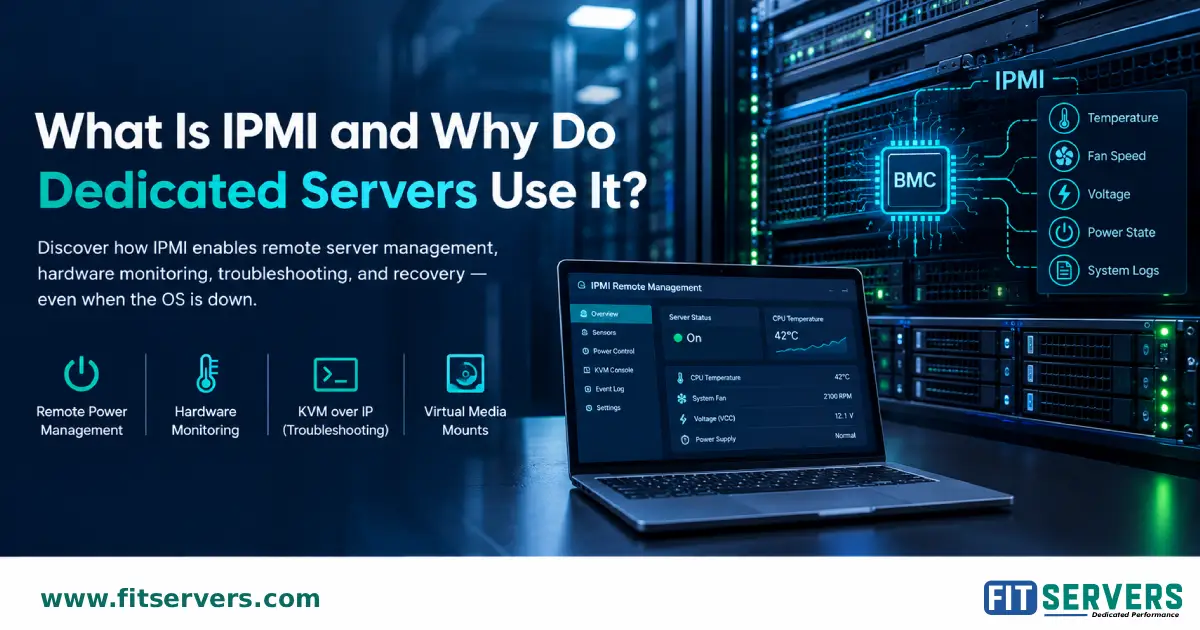
A dedicated server used for virtualization should be manageable even when its operating system or network configuration is not functioning correctly. Out-of-band management technologies such as IPMI or a vendor-specific remote management controller can provide access to hardware monitoring, remote console functions, and power controls. The exact capabilities depend on the server platform and service provider.
Before purchasing, check whether remote management is available, whether it is enabled, and whether access is included or requires a separate request. Other reliability considerations include:
- ECC memory support and hardware health monitoring.
- Drive-health reporting and alerts.
- Redundant power supplies where supported and needed.
- Appropriate cooling and thermal monitoring.
- Replaceable components and a clear hardware replacement process.
- Remote console or rescue access for troubleshooting.
- A documented procedure for recovering from failed boot devices or storage components.
Remote management is particularly valuable for systems installed in a data center because many recovery tasks cannot be performed through an ordinary SSH session alone.
08 Consider GPU Passthrough Only If Your Workload Needs It
Not every Proxmox server needs a GPU. Most general-purpose VMs, application servers, and containers can run without a dedicated graphics accelerator. A GPU may be appropriate when a VM needs hardware acceleration for machine learning, rendering, video processing, or another supported compute workload. In these situations, the entire platform must be evaluated for compatibility. Check:
- CPU and motherboard IOMMU support.
- GPU compatibility with the guest operating system and application.
- Available PCIe slots, lanes, physical space, and power delivery.
- Cooling capacity and the server chassis design.
- Driver requirements and licensing where applicable.
- Whether the GPU can be passed through reliably in the intended configuration.
GPU passthrough is not the same as automatically sharing a physical GPU among multiple VMs. Sharing and virtualization support depend on the specific GPU, drivers, software, and supported virtualization features.
If GPU acceleration is not part of the planned workload, allocating the budget to additional RAM, faster storage, or better redundancy may provide more practical value.
09 Compare Example Proxmox Server Configurations
The following configurations are illustrative starting points for planning. They are not official Proxmox hardware profiles, and actual requirements can vary significantly.
| Deployment type | Example starting configuration | Main consideration |
|---|---|---|
| Small lab | 8–16 CPU cores, 32–64 GB RAM, mirrored SSDs | Cost and simplicity |
| General virtualization | 16–32 CPU cores, 128 GB RAM, redundant NVMe storage | Balanced CPU, memory, and storage |
| Memory-intensive workloads | 32 or more CPU cores, 256–512 GB RAM | Guest memory demand and expansion |
| Storage-intensive workloads | CPU sized for the applications, 128 GB or more RAM as appropriate, multiple enterprise SSDs or NVMe drives | Latency, endurance, and redundancy |
| Multi-node cluster | Multiple compatible hosts with capacity for workload recovery | Quorum, network design, and storage availability |
Core counts refer to physical CPU cores as a planning aid, not a guarantee of VM performance. The appropriate number depends on the CPU model, per-core performance, workload concurrency, and oversubscription policy.
For a realistic configuration, calculate the workload requirements first and compare actual server models against those requirements. A balanced server will often be more useful than one with a high-end CPU but inadequate memory or storage. You can compare current options on our Proxmox dedicated servers page.
10 Calculate the Total Cost of Ownership
The monthly server price is only one part of the cost of running Proxmox infrastructure. A lower-cost system can become more expensive if it lacks the capacity, reliability, or support needed for the workload. Evaluate the following before making a decision:
- Hardware and service costs: Compare CPU, RAM, drive capacity, network connectivity, remote management, and any additional service fees.
- Storage redundancy: Account for the usable capacity lost to mirroring or parity and the cost of suitable replacement drives.
- Backup infrastructure: Include backup storage, off-site copies where appropriate, retention requirements, and the time needed to restore workloads.
- Network requirements: Consider whether the included bandwidth, port speed, traffic policy, and connectivity meet the workload's needs.
- Expansion: Check whether RAM, drives, and network interfaces can be upgraded without replacing the entire server.
- Operational effort: More complex storage and cluster architectures can require additional monitoring, troubleshooting, and maintenance.
- Recovery requirements: Estimate the business impact of downtime and determine whether the environment needs a second host, standby capacity, or a more comprehensive recovery plan.
A practical purchase decision should balance initial cost, usable capacity, expected growth, and the consequences of failure.
11 Prepare for Deployment and Future Growth
Selecting the server is only the first step. Before putting production workloads online, confirm that the hardware is supported by the intended Proxmox VE release and that firmware, storage controllers, NICs, and other devices work with the planned configuration. A deployment checklist should include:
- Verify processor virtualization and IOMMU features if required.
- Confirm RAM capacity, compatibility, and ECC support where applicable.
- Validate storage-controller compatibility with the chosen RAID or ZFS design.
- Check drive endurance, usable capacity, and redundancy.
- Test network connectivity, VLAN configuration, and throughput.
- Configure secure management access and appropriate firewall rules.
- Set up backups and test restoration before relying on the system.
- Enable hardware and storage monitoring.
- Document recovery procedures and planned maintenance.
- Review resource utilization after deployment and expand when measurements justify it.
For 2027 deployments, use the official Proxmox documentation for the specific release you intend to install. New releases can change supported features and platform requirements, so do not assume that a future version will have exactly the same requirements as the version used during initial planning.
Conclusion
Choosing a dedicated server for Proxmox is fundamentally a workload-planning exercise. CPU cores determine how much concurrent processing the system can handle, RAM influences VM density, storage affects latency and data availability, and networking determines how efficiently guests communicate with users, other hosts, and storage systems.
For a small deployment, a single well-balanced server with sufficient memory, redundant SSD storage, and a tested backup plan may be the most sensible choice. Larger or business-critical environments may need higher memory capacity, enterprise NVMe drives, faster networking, remote management, and multiple Proxmox nodes.
The most effective approach is to define the workloads, estimate peak resource demand, select compatible hardware, and plan for recovery before purchasing. That creates a virtualization platform that can support current requirements while leaving a clear path for future growth.
Fit Servers offers dedicated server configurations for different infrastructure requirements. When evaluating a server for Proxmox, compare the available processor, memory, storage, network, and remote management options against your intended workload rather than choosing a configuration based on one specification alone.
Frequently Asked Questions
1. What is the best dedicated server for Proxmox?
2. How much RAM do I need for Proxmox?
3. Is ECC RAM necessary for Proxmox?
4. Is NVMe better than SATA SSD for Proxmox?
5. Can Proxmox run on a single dedicated server?
6. Does Proxmox require a hardware RAID controller?
7. How many CPU cores do I need for Proxmox?
8. Does Proxmox support GPU passthrough?
9. Is 10 Gbps networking necessary for Proxmox?
10. Should I use a dedicated server or several servers for Proxmox?
Find the Right Proxmox Dedicated Server for Your Workload
Ready to build your virtualization environment? Fit Servers Proxmox Dedicated Servers provide dedicated hardware, full root access, and Proxmox VE installation options for running virtual machines and containers. Choose a configuration based on your CPU, RAM, storage, and networking requirements.